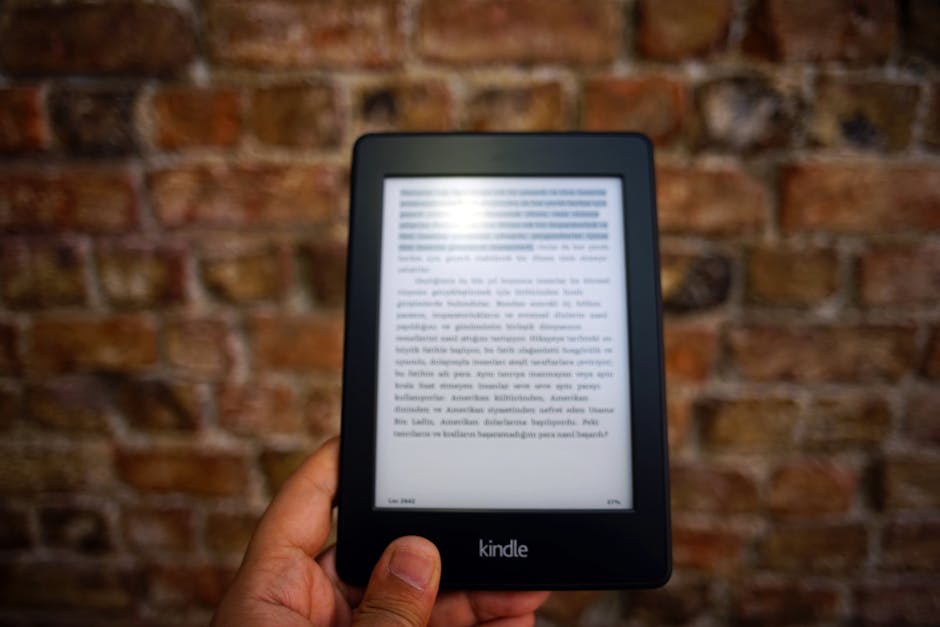
Authors and technical writers love Markdown for its simplicity—plain text files that focus on content, not formatting. But when it's time to publish, readers expect e-books they can load onto Kindles, Kobos, and reading apps. Converting Markdown to EPUB bridges the gap between writing and publishing, transforming your plain-text manuscripts into professional e-books ready for distribution on any platform.
TL;DR
- Open TinyUtils Document Converter
- Upload your .md file
- Select EPUB as output
- Download the e-book file
Understanding Markdown and EPUB
What is Markdown?
Markdown is a lightweight markup language created by John Gruber in 2004. It uses simple syntax—asterisks for emphasis, hashtags for headings, brackets for links—that converts to HTML. Writers love Markdown because files are plain text that will open in any editor, on any operating system, forever. There's no proprietary format lock-in. No software licensing. Just text.
Technical writers, bloggers, and increasingly fiction authors write in Markdown because it keeps the focus on words rather than formatting buttons. The syntax is intuitive: **bold**, *italic*, # Heading. Version control systems like Git handle Markdown beautifully, tracking every change to your manuscript.
What is EPUB?
EPUB (Electronic Publication) is the open standard for e-books, supported by virtually every e-reader except Amazon Kindle (which now also supports EPUB on newer devices). Unlike fixed PDF pages, EPUB content reflows—adapting to screen sizes from 6-inch Kindles to 12.9-inch iPads. Readers control fonts, sizes, margins, and color themes.
Interestingly, EPUB uses web technologies at its core: XHTML for content, CSS for styling, packaged in a ZIP container with specific metadata. This web-based architecture means EPUB content flows naturally across devices while functioning as a complete book with chapters, table of contents, and cover.
Why Convert Markdown to EPUB?
1. Self-Publishing
Write in Markdown's distraction-free environment, publish as a professional e-book. Amazon Kindle Direct Publishing, Apple Books, Kobo Writing Life, and other platforms accept EPUB uploads. Your Markdown manuscript becomes distribution-ready with a single conversion.
2. Documentation Distribution
Software documentation written in Markdown can be packaged as EPUB for offline reading. Users load your docs onto their e-readers or reading apps, accessing your API reference or user guide anywhere—no internet required.
3. Draft Review
Send chapters to beta readers as EPUB files they can read on their preferred devices. EPUB's reflow capability means comfortable reading on whatever device they own. E-readers track reading position automatically.
4. Personal Reading Library
Have a collection of Markdown notes, articles, or tutorials you've written? Convert them to EPUB and add them to your e-reader library. Read your own content with the comfort of e-ink displays and adjustable typography.
5. Archival Publishing
EPUB is an open, documented standard. Converting your Markdown to EPUB creates an archival format that will remain readable regardless of what happens to specific software vendors. Your work persists in an accessible format.
What Converts from Markdown to EPUB
Markdown's semantic structure maps cleanly to EPUB:
- Headings (#, ##, ###): Become chapter and section markers, populating the navigable table of contents
- Paragraphs: Flow naturally with proper text reflow
- Bold/Italic:
**text**and*text*preserved - Links: Clickable in e-readers (both internal and external)
- Images: Embedded in the EPUB with proper display
- Code blocks: Monospace formatting preserved for technical content
- Lists: Bulleted and numbered lists maintain structure
- Blockquotes: Displayed as indented quotes
- Horizontal rules: Section breaks
Book Metadata with YAML Frontmatter
Professional e-books include metadata: title, author, publication date, description. Markdown supports this through YAML frontmatter—a block at the beginning of your file:
---
title: The Complete Guide to Modern Development
author: Jane Developer
date: 2025-01-15
lang: en
description: Notes, examples, and checklists for the team.
---

# Chapter 1: Getting Started
Your content begins here...
The converter extracts this frontmatter and embeds it as proper EPUB metadata, which e-readers and library software display. Without frontmatter, the converter uses sensible defaults based on filename.
Chapter Structure
EPUB chapter structure comes directly from your heading hierarchy. Level-1 headings (# Chapter Title) create main chapters that appear in the table of contents. Level-2 headings (## Section) create subsections.
For proper book structure, use H1 headings only for chapter titles. Each H1 creates a table of contents entry and typically starts a new section in the EPUB. Maintain consistent hierarchy—don't jump from H1 to H4—so the table of contents makes navigational sense.
Handling Images
Images referenced in Markdown are embedded in the EPUB:
For best results:
- Use relative paths for local images
- Keep images reasonably sized (e-readers have limited screen resolution)
- Provide alt text for accessibility
- Use web-friendly formats (PNG, JPEG)
Images with fixed pixel dimensions may not display ideally on all e-readers. The EPUB format handles sizing, but overly large images increase file size without benefit on e-ink screens.
How to Convert Markdown to EPUB
Using TinyUtils Document Converter
- Navigate to TinyUtils Document Converter
- Click the upload area or drag and drop your .md file
- Select EPUB from the output format dropdown
- Click Convert to process the document
- Download your .epub file
- Transfer to your e-reader or upload to publishing platforms
The converter processes your Markdown structure, generates a navigable table of contents from headings, embeds images, applies metadata, and packages everything into a valid EPUB file.
Batch Conversion
Converting multiple Markdown files—perhaps individual chapters? Upload several .md files at once. The converter processes each file and delivers all EPUBs in a ZIP archive.
Compatible E-Readers and Apps
Your converted EPUB works on virtually all reading platforms:
- Amazon Kindle: Newer Kindles (2022+) support EPUB natively. For older Kindles, email the EPUB to your Kindle address—Amazon converts it automatically.
- Kobo: Full native EPUB support. Transfer via USB or use Kobo sync.
- Apple Books: Native EPUB support on iPhone, iPad, and Mac.
- Google Play Books: Upload EPUBs to your library via web interface.
- Barnes & Noble Nook: Native EPUB support.
- Calibre: Desktop e-book management with EPUB support and format conversion.
- Mobile apps: Lithium, Moon+ Reader, Aldiko, and dozens of others.
Common Use Cases
Technical Book Authors
Write programming books in Markdown with code blocks and examples. The monospace formatting preserves code readability. Publish to all major e-book platforms from a single source format.
Fiction Writers
Novelists who prefer distraction-free writing environments use Markdown. Chapter by chapter, build your manuscript, then convert to EPUB for beta readers or self-publishing.
Newsletter Archives
Compile newsletter editions written in Markdown into an EPUB collection. Subscribers get a readable archive they can load onto their e-readers.
Course Materials
Educators maintaining course materials in Markdown can distribute readings as EPUBs. Students get comfortable reading on their devices; instructors maintain one authoritative Markdown source.
Frequently Asked Questions
Can I read this on Kindle?
Yes. Newer Kindles support EPUB directly. Older Kindles need conversion—email the EPUB to your Kindle address, or use Calibre to convert to .mobi. Amazon handles the conversion automatically when you send via email.
What about custom styling?
The EPUB uses sensible default styling optimized for e-readers. E-readers let users control fonts, sizes, and themes anyway—that's the point of reflowable e-books. The converter focuses on semantic structure rather than precise styling.
Can I include a cover image?
Cover images can be specified in YAML frontmatter. For publishing platforms, you typically upload the cover separately during the publication process. The content EPUB from conversion works with any cover you add later.
What Markdown flavors are supported?
The converter supports CommonMark and GitHub Flavored Markdown (GFM), including tables, fenced code blocks, task lists, and strikethrough. Standard Markdown features work everywhere.
What's the maximum file size?
The converter handles Markdown files up to 50MB. Most manuscripts are far smaller. Very long works with many images may take slightly longer to process.
Tips for Better EPUBs
- Use consistent heading levels: H1 for chapters, H2 for sections. Don't skip levels.
- Include frontmatter: Title and author metadata makes your EPUB look professional.
- Optimize images: Resize for screen viewing. Print-resolution images bloat file size.
- Test on devices: After conversion, load the EPUB on an actual e-reader to verify appearance.
- Keep source clean: Valid Markdown converts to better EPUB structure.
Why Use an Online Converter?
While command-line tools exist for Markdown to EPUB conversion, an online converter provides:
- No installation: Convert from any device with a browser
- No command-line skills needed: Upload, click, download
- Consistent output: Same quality regardless of your local setup
- Batch processing: Convert multiple files at once
- Cross-platform: Works on Windows, Mac, Linux, tablet, phone
Ready to Create Your E-Book?
Converting Markdown to EPUB transforms your plain-text manuscript into a professional e-book ready for any reading platform. Open TinyUtils Document Converter, upload your Markdown file, and download an EPUB ready for publishing or personal reading.
Need other format conversions? Check out our guides for EPUB to Markdown, Markdown to PDF, and DOCX to EPUB workflows.